API Authentication and Authorisation Basics
Ready for review
API Authentication & Authorisation Basics
Before looking at the technical solutions to API authentication and authorisation, this section will provide an introduction that illustrates some of the situations where authentication and authorisation are appropriate.
Authorisation and authentication are intrinsically linked inside the OAuth 2.0 framework which in itself is regarded as synonymous with securing APIs. OAuth 2.0 uses its own terminology which is worth becoming familiar with when adopting an OAuth 2.0 approach.
As the OAuth 2.0 framework is a commonly accepted approach to securing modern APIs this section provides a high level introduction to OAuth 2.0.
Authentication
Appropriate authentication MUST be achieved when accessing APIs
When securing APIs, authentication is required to identify the health sector participants and/or API Consumers that want to access or use an API. Authentication enables the API Provider to identify all consumers of an API and to confirm that the consumer requesting access is who they say they are. This doesn’t automatically authorise them to access the APIs or the underlying resources.
Providers should define a registration process for each category of API consumer or health sector participant.
The ability to understand who or what is using an API cannot be overstated. This is critical when it comes time to implement aspects of the API lifecycle, such as deprecation, or notification of an outage. It also enables the API provider to implement different service levels for different consumers. E.g. commercial customers might have a higher request limit per day than customers not paying for the use of the API.
Ensuring application developers register for use of the API also means they must sign up to terms and conditions that define how they might use the data they get from the API, and that they agree to ensure that their API consumer(s) will behave in an acceptable and non-abusive manner that preserves the privacy of the information owner.
Authentication Mechanisms
The diagram below identifies mechanisms and recommended usage for API security.

Detailed description of figure
This diagram presents a classification of various authentication mechanisms with recommendations for their usage. It is organized in two main sections: 1. Usage: Not Recommended: This section includes two boxes: Not Recommended: This indicates mechanisms not recommended for general use. Not recommended for public facing APIs: This specifies mechanisms unsuitable for APIs accessible to the public. Recommended: This section includes four boxes, each with specific contexts and strengths: Recommended for all APIs: This highlights mechanisms suitable for most APIs. Usually B2B although common in the Health Sector: This identifies mechanisms typically used in B2B environments, but also prevalent in healthcare. Recommended for internal and external APIs: This suggests mechanisms suitable for both internal and external APIs. Recommended where an OpenID Connect Provider is available: This proposes mechanisms that leverage OpenID Connect when available. 2. Authentication Mechanisms: Anonymous: This mechanism allows users access without providing any credentials. Username and Password: This traditional method relies on users providing a username and password. API Key: This method uses unique API keys assigned to authorized users. Certificates (mTLS): This approach uses digital certificates for mutual authentication between the client and server. OAUTH: This section further details OAuth mechanisms: OAuth2: This is a widely used authorization framework granting access tokens based on user consent. Open ID Connect (OIDC): This protocol builds upon OAuth2, providing user identity information along with access tokens. Right-pointing arrows: These arrows indicate recommended transitions between usage categories. Overall Interpretation: The diagram recommends using strong authentication mechanisms like OAuth2 and OIDC for most APIs, especially public-facing ones. For internal APIs or those not requiring high security, username and passwords or API keys might be acceptable. Anonymous access and mTLS certificates are considered less common scenarios.
Client Initiated Backchannel Authentication (CIBA) Flow
The OpenID Connect Client Initiated Backchannel Authentication flow is important because it adds three "decoupled” authorisation flows. Instead of using redirects through the browser, this model allows a user’s mobile device to be decoupled from the flow, and the client application, and act as an authentication device on which the user authentication and the consent confirmations are performed.
The important point here is the client application and authorisation application/service do not have to run on the same device (e.g. smartphone) or be linked.
In the CIBA flow the initial authorisation call is made to the new (OAuth2) backchannel authentication endpoint and the authorisation server then delegates the authentication and consent approval tasks to the authentication device (smartphone) of the user, who will accept or deny the request.
The access token being sent to the client is managed by one of three flows:
-
Poll – The client polls the Authorisation Server until the authorisation server has received the approval from the authentication device.
-
Ping – The client waits until it is notified by the Authorisation Server and then it requests the token
-
Push – The Authorisation server, when it receives approval from the authentication device pushes the Access ID Token and Refresh token to the client

Detailed description of figure
High-Level Flow of CIBA for Health Sector. This diagram depicts the high-level flow of Client-Initiated Backchannel Authentication (CIBA) for the Health Sector. It involves several actors and components, and follows a specific sequence of interactions. Actors: Health Sector Participant (Customer): The individual requesting access to health data or services. API Consumer (Third Party): A service or application seeking access to the customer's data on behalf of the customer. Components: Edge Network Components: Infrastructure components responsible for securing communication between the API Consumer and the API Provider. API Provider IDP (API Provider Identity Provider): Verifies the identity of the API Consumer. API Provider Service (API Provider Service): Handles the CIBA flow and interacts with the Consent Authorisation UI and the API Consumer. Consent Authorisation UI: Provides the customer with a user interface to grant or deny consent for data access. Flow Steps: Obtain Login Hint Details: The API Consumer gathers login hint information (e.g., phone number, email) about the customer. Establish MTLS: Secure communication is established between the API Consumer and the API Provider IDP. POST /bc-authorize (API Consumer to API Provider): The API Consumer initiates the CIBA flow by requesting a login hint token. Authenticate Third Party and Validate Request: The API Provider IDP verifies the API Consumer's identity and validates the request. Verify Login Hint (Optional): If a login hint token is provided, the API Provider IDP verifies its authenticity and resolves it to identify the customer. Find Customer and Verify Eligibility: The API Provider Service retrieves the customer's information and confirms their eligibility for the requested service. Response with Auth Request (API Provider to API Consumer): The API Provider sends a response containing an authorization request to the API Consumer. Consent Interaction with the Health Sector Participant: The API Consumer prompts the customer to use their bank's mobile app to authorize consent for data access. The customer interacts with the Consent Authorisation UI to review and approve/deny the consent request. Consent Interaction with the API Provider: The Consent Authorisation UI sends the customer's consent decision to the API Provider. If consent is granted, the API Provider issues an access token to the API Consumer. If consent is denied, the API Provider sends an error response to the API Consumer.
The CIBA flow is not widely used and is included here as guidance for API designers and developers. It is likely that the CIBA flow will become more common, particularly as it is used in the Payments New Zealand API Centre Standards and therefore being adopted by financial services API providers.
Authorisation
Appropriate authorisation MUST be applied
Authorisation is the act of performing access control on a resource. Authorisation covers both the definition of access controls and the enforcement of those controls. This includes the access rules and policies, which should define the required level of access agreeable to both provider and consuming application. The foundation of access control is a provider granting or denying a consuming application and/or consumer access to a resource to a certain level of granularity.
In the Authentication section the concepts of OAuth were introduced, and a number of Authentication patterns were defined. This section focuses on Authorisation and provides additional patterns that work with OAuth or provides an alternative.
Authentication on its own does not necessarily provide permissions to access an API or application. It merely validates that you are who you say you are. If it is used for access control, it is an all or nothing control mechanism.
Once a user is authenticated (e.g. using username and password), an authorisation process will grant (or deny) them the right to perform an action or access to information. Normally this authorisation process is applied using either a coarse grained or fine-grained access control process.
The normal model is to provide coarse grained access at the API or API Gateway request point, and fine-grained control at the API Provider service implementation.
Role Based Access Controls (RBAC)
In many organisations a Directory service provides authentication for users. Directory groups are then used to provide authorisation. This is classed as Discretionary Access Control (DAC): access to systems is granted by applying Access Control Lists (ACLs) directly to the user, or to the groups in which users reside.
Directory (or LDAP) Groups are synonymous with roles and can be used to provide coarse-grained authorisation for APIs.
Scopes (Limited Fine Grain Access)
Based on the services (APIs) that are exposed, additional access
controls can be applied using scopes. For example, a data service
might provide read and write scopes which could be granted to a
user based on the directory groups they were in.
OAuth2 Scopes can be used to limit the authorisation granted to the API consumer by the resource owner. The developer has to ensure that the minimum privileges are granted to API consumers to carry out the API requests that the user wishes the API consumer to complete.
Scopes provide a level of coarse/fine grained access and represent
specific access rights e.g. the ability to read a resource or write a
new resource (or both) is limited by the scope of the Access Token.
Scopes can be used alone to define coarse/fine grained access. Consideration is needed to understand (for example) if:
-
a single scope protects the service
-
scopes are defined to protect fine-grained business functionality
-
services should be divided into many smaller services with one scope each
Once a token is issued to an API consumer, the access rights bound by the scope are encapsulated in the Access Token for the length of its validation period.
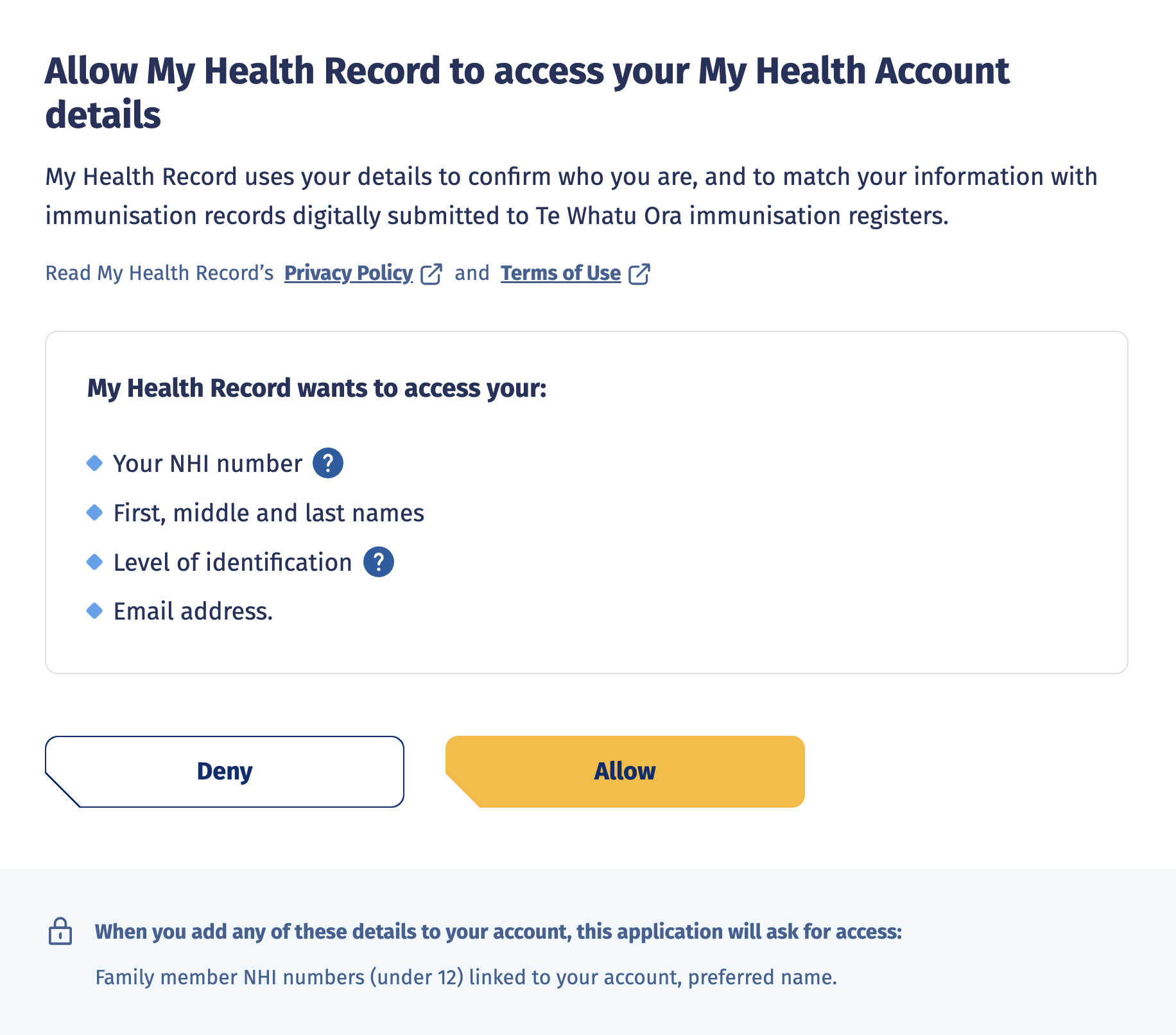
An API consumer may invite a user to authorise the application to
act on behalf of the health sector participant. In order for this to occur the
API consumer MUST provide the authorization server with the intent of it's
request.
Heart Working Group
API Providers MAY utilise Heart Working Group specifications.
The OpenID Foundation uses working groups to focus on specific problems, technology or specific marketplace sectors like FAPI (Financial-Grade APIs) or the Health sector HEART Working group.
HEART (Health Relationship Trust) defines a set of profiles that enable patients to control how, when, and with whom their clinical data is shared.
It also defines the interoperable process for systems to exchange patient-authorized healthcare data consistent with open standards, specifically FHIR (Fast Healthcare Interoperability Resources), OAuth, OpenID Connect, and UMA (User-Managed Access).
Two pertinent specifications are:
Health Relationship Trust Profile for User-Managed Access 2.0 and
Attribute Based Access Controls
Attribute-based access control (ABAC) defines an access control process whereby access is granted based on policies that are built using attributes e.g. a policy might state that access to a specified resource is only permitted for users who are in Sales or Marketing, who are managers, during office hours only. ABAC provides fine grain authorisation services.
The really important control that ABAC provides is the ability to provide context when applying access controls, e.g. access decisions can be based on the IP address of the device, the operating system of the client and the last known transactions of a client.
The recognised standard for ABAC is XACML, which is an XML based-language.
ABAC Implementation
API Providers MAY implement ABAC.
To implement Attribute Based Access Control, the current models defined use XACML.
XACML (developed by OASIS), provides a reference architecture, a request / response protocol and a policy language.
It is a highly distributed and loosely coupled architecture. It provides very useful generic definitions of the required components (services) which can be used to define any access control model.
It uses the following services to define the reference architecture:
-
Policy Enforcement Point (PEP) – where the request to the resource is intercepted and policy applied (based on the decision made by the Policy Decision Point)
-
Policy Decision Point (PDP) – This is the policy server to which the PEP sends the request for evaluation as to whether a user should or should not have access to a resource. The PDP has access to policy and can match the credentials and request against policy to make a permit/deny decision. It can also enforce policy related obligations e.g. enhanced logging, notification and alerts, or re-routing to request additional authorisation process.
-
Policy Administration Point (PAP) – The interface where the policies are developed and defined
-
Policy Information Point (PIP) – Used to gather additional information about a user from Identity stores or databases to provide additional attributes that are required by the PDP to validate the policy and apply the required outcome.
The links and flows between these services are detailed in the diagram below:

Detailed description of figure
This diagram depicts a system with a focus on access control for health sector participants accessing resources through an API. A breakdown of its interactions: Health Sector Participants (HSPs) access resources through an API. API Provider controls access by enforcing policies. Policies are stored and retrieved from a central Policy Information Point (PIP). Decisions to grant or deny access are made by the Admin/Decision (PAP/PDP) based on policies and user attributes. External databases store user and resource attributes used for authorization. The system ensures secure access control for health sector resources.
XACML is generally perceived as being difficult to write policies in, but this is being addressed in two ways:
-
OASIS is developing a Request/Response Interface based on JSON and HTTP for XACML 3.0, Version 1.0
-
There is a JSON-based language called ALFA (Abbreviated Language for Authorization) which can be used to build XACML policies
API Gateway
API Gateways have been mentioned previously in the context of API protection. Most API Gateways on the market provide support for OAuth 2.0 and can also provide Authorisation (and Authentication) Services via a direct connection to:
-
An Identity Store containing groups
-
An Identity Access Management system
-
A Policy server

Detailed description of figure
This diagram depicts a simplified system for health sector participants accessing resources through an API. Here's a breakdown: Health sector participants access resources through an API using a secure client app. The API Gateway handles initial requests and communicates securely with an Identity & Policy Server. The server verifies identities, enforces policies, and forwards authorized requests to the Provider Service. The Service then fulfills the request and returns the desired resource (if allowed). Secure TLS connections ensure secure communication throughout the process.
Anonymous Authentication
SHOULD NOT
This is where the health sector participant and the API consumer they are using can gain access to APIs without needing to authenticate in any way.

Detailed description of figure
This diagram depicts a simplified system where health sector participants can access resources through an API without requiring authentication. Here's a breakdown: Health sector participants can access resources directly through an API without authenticating. A secure (TLS) connection is used between the client app and the API gateway. The API gateway directly forwards requests to the provider service, bypassing any authentication checks. This setup allows anyone to access resources, potentially posing security risks.
This approach MAY be used when the risk associated with the API is negligible e.g. an API offering publicly available information.
The downside of this model is that it makes it difficult to gather effective analytics, and therefore to understand the implications of proposed changes to, and deprecation of, an API.
If using the Anonymous authentication model the API MUST implement appropriate protection against typical API vulnerabilities and threats, as listed on the OWASP (Open Web Application Security Project) site. Typically, these relate to:
-
Throttling to prevent Denial of Service attacks
-
Payload, header and query parameter analysis to block HTTP attacks parameter attacks such as cross-site scripting (XSS), SQL injection, command injection and cross site request forgery (XSRF)
Username and Password Authentication (Direct Authentication)
SHOULD NOT
In the Direct Authentication model, also known as HTTP Basic or Digest Auth, the user is authenticated via an identity store using username and password credentials over HTTPS.
There are possibly some legacy situations where the API Provider MAY implement this pattern for API access however this MUST be an exception and be recorded appropriately.

Detailed description of figure
This diagram depicts a system for managing access to health sector resources through two separate APIs, one for Health Sector Participants (HSPs) and another for Health Workers (HWs). Both access methods involve user authentication and authorization checks. Here's a breakdown: Two separate APIs cater to Health Sector Participants and Health Workers. Both groups authenticate with their respective API clients, via API Gateway, using username and password. The API Gateway verifies credentials against separate identity stores. Requests are forwarded to the Provider Service for resource access.
This model can be easy to implement but has many limitations:
-
An identity store (e.g. LDAP) is required along with a full registration process for all user types (e.g. applications and application developers)
-
Cannot leverage a federated authentication model, so no single sign on (SSO), requiring re-presentation of username and password at every step
-
Passwords would be in clear text. If direct authentication is used, TLS would be required to secure all communications
-
Open to brute force attacks
-
Passwords have low entropy, have to be reset and managed, and are difficult to revoke at a granular level
This model MAY be used for testing and development purposes but SHOULD NOT be used for production APIs.
API Key Authentication
SHOULD
API Keys are a digital authentication mechanism, with the API key generally being opaque - e.g. a GUID. API keys SHOULD be unique and can be assigned to an application, developer, or organisation. The usual practice is for an application developer to obtain a key for their API consumer from the API provider and utilise the key within their API consumer. To obtain an API key, the developer must undergo an onboarding process with the API Provider. TODO - Add onboarding links...

Detailed description of figure
This diagram depicts a system for managing access to health sector resources through separate APIs for Health Sector Participants and Health Workers, with a focus on secure authentication using API keys. Here's a breakdown: Separate APIs for Health Participants and Health Workers. Both groups use secure TLS connections and API keys for authentication. The API Gateway verifies API keys against a secure internal Key Store. Only authorized requests are forwarded to the Provider Service for resource access. This system prioritizes security and simplifies authentication through API key management.
At run time, the API consumer automatically passes the API Key to the API every time it requests an API resource. The API Gateway validates the API Key against the API Key Store (which can be part of the API Gateway functionality or provided by another secure device) before allowing the API consumer access to the requested API (or set of APIs) and backend resources.
This model is similar to the Username and Password model, but it is the API Gateway which can be responsible for creating, managing the API key and API secret and storing a copy in the API key store for validation, rather than redirecting to an identity store for policy validation and approval.
API keys are not linked to users and usually require no cryptographic functions.
API Keys MUST be used wherever system to system authentication is needed (especially with a production level API). They MAY be used on their own for simple public APIs which do not need more complex authentication models.
However, the risk is that anyone with a copy of the API key can use it as though they were the legitimate API consumer. Hence all communications should be over TLS, to protect the key in transit. The onus is on the application developer to properly protect their copy of the API key. If the API key is embedded into the API consumer it SHOULD be protected.
API Keys are recommended as they provide a level of security to public APIs that can help protect sites from screen scraping or provide the required information to throttle, or possibly bill, access to data. Organisations need to carry out a risk analysis of the possible threats against the classification of the data that could be obtained and from this decide if API Keys are required.
Certificates (Mutual) Authentication
MAY use this model when the API depends on legacy authentication mechanisms such as HealthSecure Certificates
In Certificate (Mutual) Authentication both the API consumer and the API provider hold a digital certificate. The digital certificate can be trusted because it was issued by a mutually trusted Certificate Authority (CA) e.g. HealthSecure. When the API consumer makes a request to the API, the server hosting the API presents its certificate to the API consumer. The API consumer verifies the server’s certificate then sends its own certificate to the API provider. The API provider verifies the client certificate and mutual trust is achieved, allowing the API consumer to use the API.

Detailed description of figure
This diagram depicts a mutual TLS authentication sequence. Key Actors: Health Worker (HW): Represents the healthcare professional accessing the API. API Consumer (AC): The client application initiating the secure communication. API Provider (AP): The server hosting the protected API resources. Certificate Authority (CA): The trusted entity that issues and validates certificates. Mutual TLS Authentication Process: Certificate Loading: The Health Worker loads their certificate into the API Consumer. ClientHello: The AC initiates the TLS handshake by sending a ClientHello message to the AP. ServerHello, Certificate, CertificateRequest: The AP responds with its certificate, requesting the AC's certificate for mutual authentication. Server Certificate Verification: The AC validates the AP's certificate with the CA. Client Certificate and Signed Assertion: The AC sends its certificate and a signed assertion (likely containing authenticated user information) to the AP. Signed Assertion Handling: The AP decrypts the signed assertion for verification. Client Certificate Verification: The AP validates the AC's certificate with the CA. Session Key Generation: The AP creates symmetric session keys for secure communication. Key Exchange: The AP sends the session keys to the AC. Secure Data Exchange: The AC and AP exchange encrypted application data using the established session keys. Key Highlights: Mutual Authentication: Both the client and server authenticate each other using certificates, ensuring trust. Signed Assertions: Provide additional user information for authorization and access control. Secure Communication: Session keys protect confidentiality and integrity of exchanged data. Certificate Authority Role: Crucial for establishing trust and verifying identities. Overall, the diagram effectively illustrates the steps involved in establishing a secure communication channel using Mutual TLS authentication, ensuring confidentiality, integrity, and mutual trust between the client and server.
Developer Authentication
Developer authentication will take place at the API Portal.
The API Portal will offer an authentication solution for developers to provide a username and password login process.
Details on Hira Portal
Once the developer has logged into the API Portal they can browse and discover the APIs available. API Portals normally require the consuming application developer to:
-
Provide contact details e.g. email address
-
Register the application they are developing
The API Portal should provide registration services for the client application to use:
-
API keys for basic authentication services and API monitoring
-
OAuth services and the management of Client ID and a Client Secrets (for applications)
-
Additional production authentication and authorisation service e.g. basic, certificate etc.
For details on OAuth authentication mechanisms see Securing APIs with Oauth2 and OpenID Connect